


Articulation Teacher - Speech
4.439.00 Reviews
App Specs
- Version
- 1.0.4
- Updated On
- License
- Free
- Downloads
- 10,000+
- Developer
- SpeakEasy Community
- Categories
- Parenting
- Platform
- Android
Screenshots
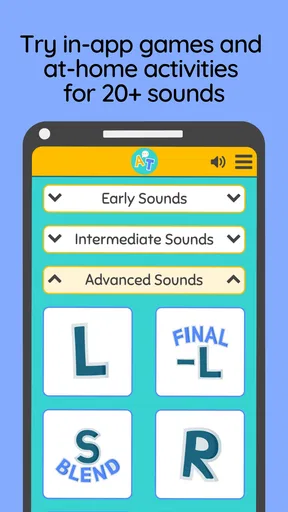
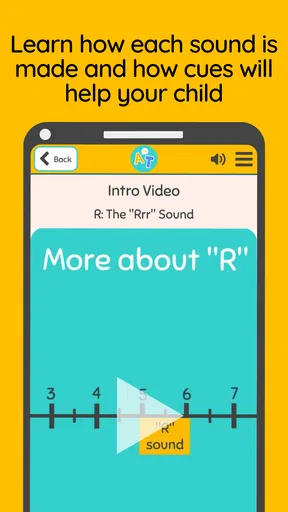
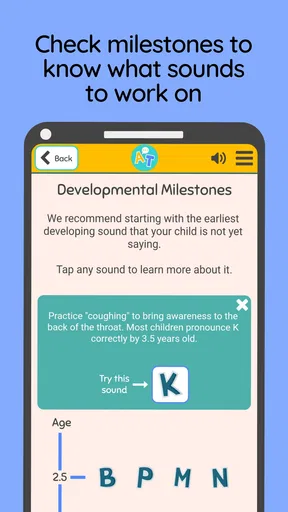
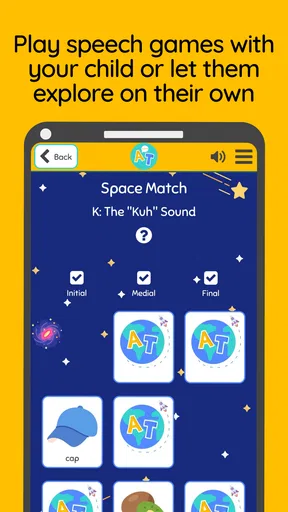
 Analysis by AppCompare
Speech practice is easiest to keep up when it fits into ordinary family life, rather than becoming another big task on the calendar. Articulation Teacher - Speech is a parenting app from SpeakEasy Community that gives families a way to bring articulation activities and games into home routines. I see its strongest role as a practical companion for short, supported practice—not a substitute for a speech-language professional or a promise of quick results.
Where families can get stuck
Speech apps can be hard to judge before you know how a child responds to them. A playful activity may catch a child’s attention, but interest can fade if a session feels too long, the task is too difficult, or the child is tired. I’d start with a small, calm practice window and stop while the experience is still positive. The goal is a routine a child is willing to return to, not a perfect session every day.
There is also a difference between being able to complete an activity and using a sound consistently in everyday speech. A child might enjoy practice on a screen yet need help carrying that skill into conversation. I would treat app-based work as one part of a wider approach and follow a clinician’s guidance about which sounds or strategies are appropriate.
Setup checks that make a difference
Before settling into a routine, I’d check that the app runs properly on the device and that the child can comfortably see and hear the activities. The current version is 1.0.4, and the minimum operating system is version 9. If an older device behaves unexpectedly, checking its system version and whether the app is up to date is a sensible first step rather than assuming the exercise itself is the problem.
It is worth trying the first activity together. That gives a parent a chance to see whether the instructions make sense to the child and whether the pace feels manageable. I would also decide in advance how long practice will last and where the device will be used. A quiet spot with fewer distractions can make it easier to focus than trying to fit an exercise into a noisy or rushed moment.
Recovering a routine when practice stalls
If a child resists an activity, I would not immediately interpret that as a sign the app is unsuitable. First, try a different time of day, shorten the session, or sit alongside the child and take turns. A parent’s participation can make an unfamiliar task feel less like a test. If the same activity continues to cause frustration, pause it and ask the child’s speech therapist whether it matches their current goals.
For a useful handoff to a teacher or therapist, keep notes in plain language: what the child tried, what seemed easy, and where they needed help. That kind of observation is more grounded than treating a progress display as a diagnosis. It can make a conversation with a professional more specific, while keeping decisions about treatment with the person who knows the child’s needs.
Worth Reading Before You Choose

EA SPORTS FC Mobile 26 Is a Bigger Football Game, but It Takes Time

Flipboard Shows What News Apps Must Do Beyond the Feed

Switching to Android Auto Means Rethinking Your Driving Routine

Google Calendar Makes a Crowded Week Easier to Manage

Ludo King Makes the Most of the Minutes Between Plans

Baby Panda World Brings Quick Play to Modern Phones, but Its Game Library Feels Busy
When the app may not be the cause
A device problem can look like a practice problem. If audio or an activity does not behave as expected, I’d close and reopen the app, check the device’s sound and volume, and try again when the connection and device are working normally. If a child’s attention is low, hunger, fatigue, or a busy room may matter more than the app’s design. Changing the setting or taking a break is often more helpful than pushing through.
It also helps to keep expectations realistic. Articulation development varies, and progress is not always steady from one session to the next. If a child finds the exercises confusing or becomes distressed, stop and seek advice from a qualified speech-language professional rather than increasing practice or guessing at a new target.
First Impressions and Initial Setup
So, here's the deal. The first thing I noticed about Articulation Teacher - Speech is its clean and user-friendly interface. Seriously, it feels like the developers knew exactly what we needed—no clutter, just straight-up functionality. Installing it was a breeze, and I was up and running in no time.
Once you dive in, the app guides you through a quick setup process, tailoring the experience based on the user's age and specific speech needs. It's like having a personal speech coach right in your pocket, ready to help at any given moment.
A Dive into the Features
Personalized Learning Paths
One of the standout features is the personalized learning paths. The app assesses the user's current level and crafts a program that targets specific articulation challenges. It's like having your bespoke speech curriculum, ensuring that progress is both steady and tailored.
Engaging Activities
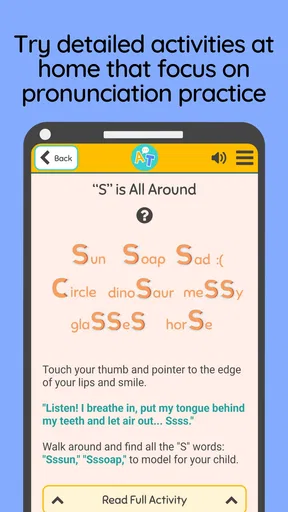
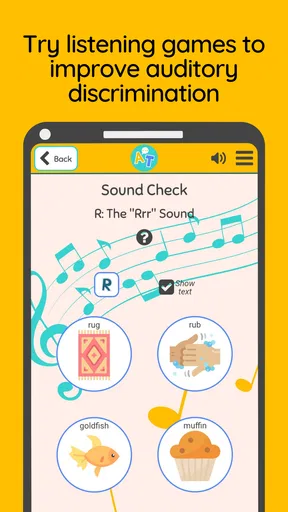
Now, I know what you're thinking—speech exercises can be, well, a bit dry. But Articulation Teacher has turned this notion on its head with interactive and playful activities. Kids—and let's be honest, adults too—will find the games engaging, making learning feel less like a chore and more like a fun challenge.
Usability and Accessibility
The app scores major points on the usability front. With intuitive navigation and clear instructions, users of all ages can easily access the exercises and track their progress. The app also supports multiple languages, which is a huge plus if you're working in a multicultural environment.
Accessibility is another area where the app shines. It offers a variety of settings to accommodate different learning needs, ensuring that everyone, regardless of ability, can benefit. Whether it's adjusting the difficulty level or enabling audio cues, the customization options are there to make sure that the app works for you.
Tracking Progress and Feedback
One of the things I absolutely love about this app is its progress tracking feature. It provides detailed reports that show improvement over time, making it easy to pinpoint areas that need more focus. Plus, these reports are incredibly useful for sharing with teachers or therapists to keep everyone on the same page.
Feedback is instantaneous, and the app offers gentle corrections, helping users understand their mistakes without feeling discouraged. It's like having a supportive friend who knows exactly when to push you and when to give you a high-five.
Making practice fit a real day
A realistic use case is a parent choosing a quiet moment after school, before dinner and homework take over. I’d open the app with the child nearby, agree on one activity, and stay available to encourage rather than correct every response. If the child is enjoying it, a little more practice may feel natural; if attention slips, ending early is a better trade-off than turning the phone into a battleground.
Another useful approach is to connect a screen activity with an ordinary conversation afterward. If the practice has focused on a particular sound, a parent can listen for chances to notice that sound in a book, a game, or a chat—without making every conversation an examination. The app can prompt a moment of focused practice, while everyday speech remains relaxed.
Who it suits—and who may prefer another route
I think this is most useful for a caregiver who wants a structured starting point for home practice and can take part in the process. It may also suit a teacher or therapist looking for an activity to use alongside their own plan, provided the adult selects work that fits the learner. The app is free to download, rated for Everyone, and has an average rating of 4.4 from 142 ratings, with 10K+ installs. Those figures suggest it has found an audience, but they do not tell me whether its approach matches a particular child.
Families wanting a professional assessment, individualized clinical decisions, or direct coaching should choose a qualified speech-language professional rather than relying on an app alone. Likewise, if a child responds better to face-to-face play, picture cards, or conversation without a screen, those options may be a better fit. The useful comparison is not “app versus therapy”; it is whether this app adds a manageable practice opportunity to the support a child already needs.
Small choices that improve the experience
One trade-off worth thinking through is who controls the device. Letting a child tap freely can make the activity feel like a game, but an adult nearby can help keep the focus on the speech task and notice when the child needs a break. I’d also avoid turning every attempt into a correction. Encouragement and a brief, clear model can keep practice supportive, while repeated prompting may make a child self-conscious.
If several family members are involved, agree on a simple routine and use the same expectations: when practice happens, how long it lasts, and what counts as encouragement. That can prevent the app from becoming a source of negotiation between adults or a daily reward-and-punishment system. A consistent, low-pressure approach is more useful than trying to make every session longer or more demanding.
The app is currently version 1.0.4, and optional in-app purchases range from $5.99 to $49.99 per item. I’d look carefully at what is included before paying, especially if you are still deciding whether your child likes this style of practice. Starting with the free experience, then discussing any paid choice with the adults involved, keeps spending tied to a clear need rather than the hope that more content automatically means better progress.
How it compares with familiar alternatives
Compared with improvised practice from a worksheet or a parent’s own prompts, a dedicated articulation app can make it easier to begin because the activities are organized around speech practice and presented in a more playful format. Worksheets and picture cards, however, can be easier to adapt on the spot and do not require handing a child a screen. For some families, alternating between the two may be more sustainable than expecting one tool to cover every situation.
Compared with general children’s games, this app has a clearer speech-practice purpose. That focus is helpful when an adult already knows what the child should work on, but it does not make the app a replacement for professional judgment. The best choice depends on the child: a screen-based activity may help one learner engage, while another may do better with a person leading the exercise directly.
Practical verdict
Before downloading, I’d ask myself three things: Can an adult be present for at least some practice? Does the child respond well to activities on a device? And is there a speech goal already chosen with suitable guidance? If the answers are mostly yes, this may be a convenient way to add focused practice at home. If not, start with professional advice or a screen-free activity instead. The developer is SpeakEasy Community, and the app’s parenting focus makes it easiest to think of as a family tool rather than a self-running course.
Final Thoughts
All in all, Articulation Teacher - Speech is a fantastic tool for anyone looking to improve their articulation skills. It's user-friendly, packed with features, and designed to make the learning process enjoyable. Whether you're a parent looking to support your child's speech development or an educator searching for a reliable tool, this app has got you covered.
So, if you're ready to turn speech practice into a fun and rewarding experience, give Articulation Teacher a try. Trust me, you won't regret it!
Pros
- User-friendly interface for all ages.
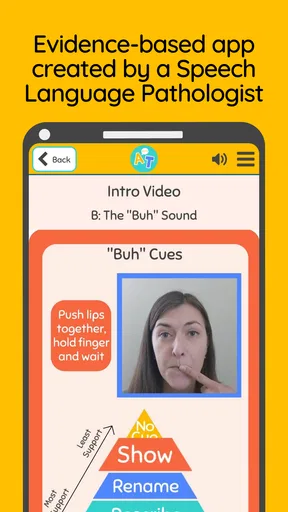
- Customizable exercises for individual needs.
- Real-time feedback to track progress.
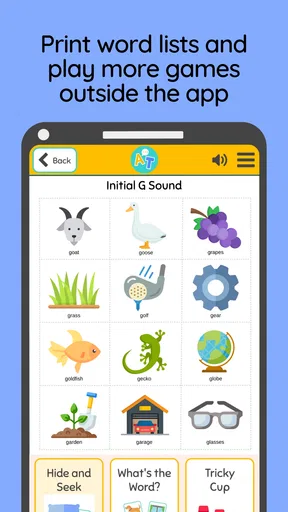
- Wide range of speech sounds covered.
- Supports multiple user profiles.
Cons
- Limited language support options.
- Requires internet for full features.
- Some exercises may be repetitive.
- Ads in the free version can be distracting.
- No offline access to practice materials.
FAQs for Articulation Teacher - Speech
What is Articulation Teacher - Speech, and how does it help improve speech skills?
Articulation Teacher - Speech is an interactive app designed to assist users in improving their speech articulation. It features a variety of exercises and games aimed at enhancing pronunciation and clarity. The app is suitable for users of all ages and is often utilized by speech therapists and educators to support speech development in a fun, engaging manner.
Is Articulation Teacher - Speech suitable for children, and what age group is it best for?
Yes, Articulation Teacher - Speech is suitable for children and is especially beneficial for those aged 4 and above. It features age-appropriate exercises and games that cater to different learning levels, making it an excellent tool for early speech development and helping children overcome pronunciation difficulties.
Does Articulation Teacher - Speech require an internet connection to function?
Articulation Teacher - Speech does not require a constant internet connection to function. Users can download the necessary exercises and content to their device for offline use. However, an internet connection may be needed for app updates and accessing additional downloadable content.
Are there any in-app purchases or subscriptions within Articulation Teacher - Speech?
Articulation Teacher - Speech offers both free and premium content. While the basic features are available at no cost, users can opt for in-app purchases to unlock advanced exercises and additional content. Subscriptions may be available for extended access to premium features and regular updates.
How user-friendly is Articulation Teacher - Speech for beginners?
Articulation Teacher - Speech is designed with user-friendliness in mind. The intuitive interface and clear instructions make it easy for beginners to navigate through the app. Guidance is provided at every step, ensuring that users can effectively utilize the app’s features without requiring prior experience with similar tools.


